
Background tracking
Records sleep and wake transitions without getting in the way.
Sleep Wake Logger runs quietly in the background and records the time when your computer enters sleep, wakes up, and which sleep/wake state it is in.
Privacy Policy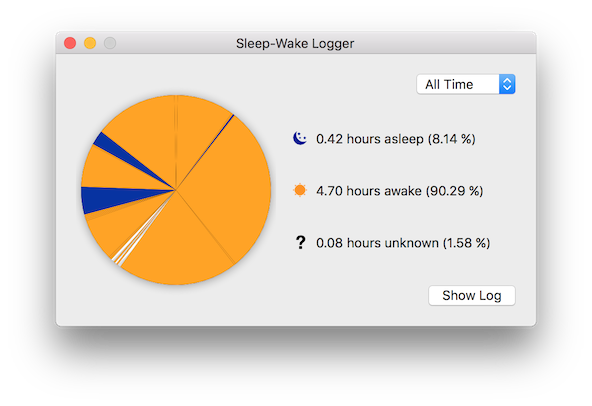
Records sleep and wake transitions without getting in the way.
Switch between a visual summary and detailed event rows.
Move the data into spreadsheets or reporting workflows.
This application runs in the background keeping track of your Mac’s sleeping habits. It keeps a log of every sleep and wake event, including the sleep/wake state your computer is in.
You can display the data as a pie chart or as a spreadsheet-style log. Moving the cursor over chart slices shows the start time, end time, and duration in minutes. For more detail, open the log view and inspect the full event history.
From Log View, use the Export CSV file button or the Export Log to CSV menu item. Choose a folder and filename, and Sleep Wake Logger exports the recorded history for use in other tools.
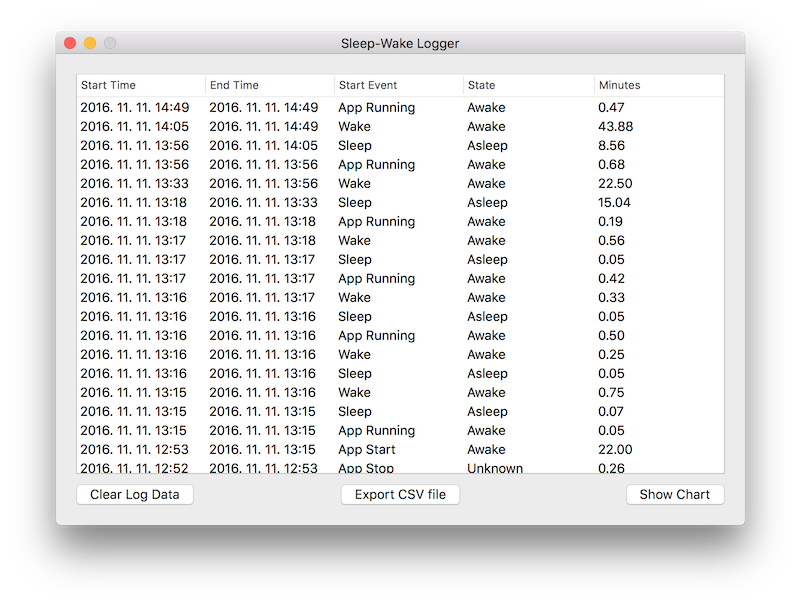
When you no longer need the recorded history, switch to Log View and use Clear Log Data or the Clear Log menu item. The application asks for confirmation before deleting the data.
Open Log View
Choose the clear action
Confirm the deletion